UMI-Live Hardware
Hardware reproduction guide, including part sourcing, printing, and assembly.
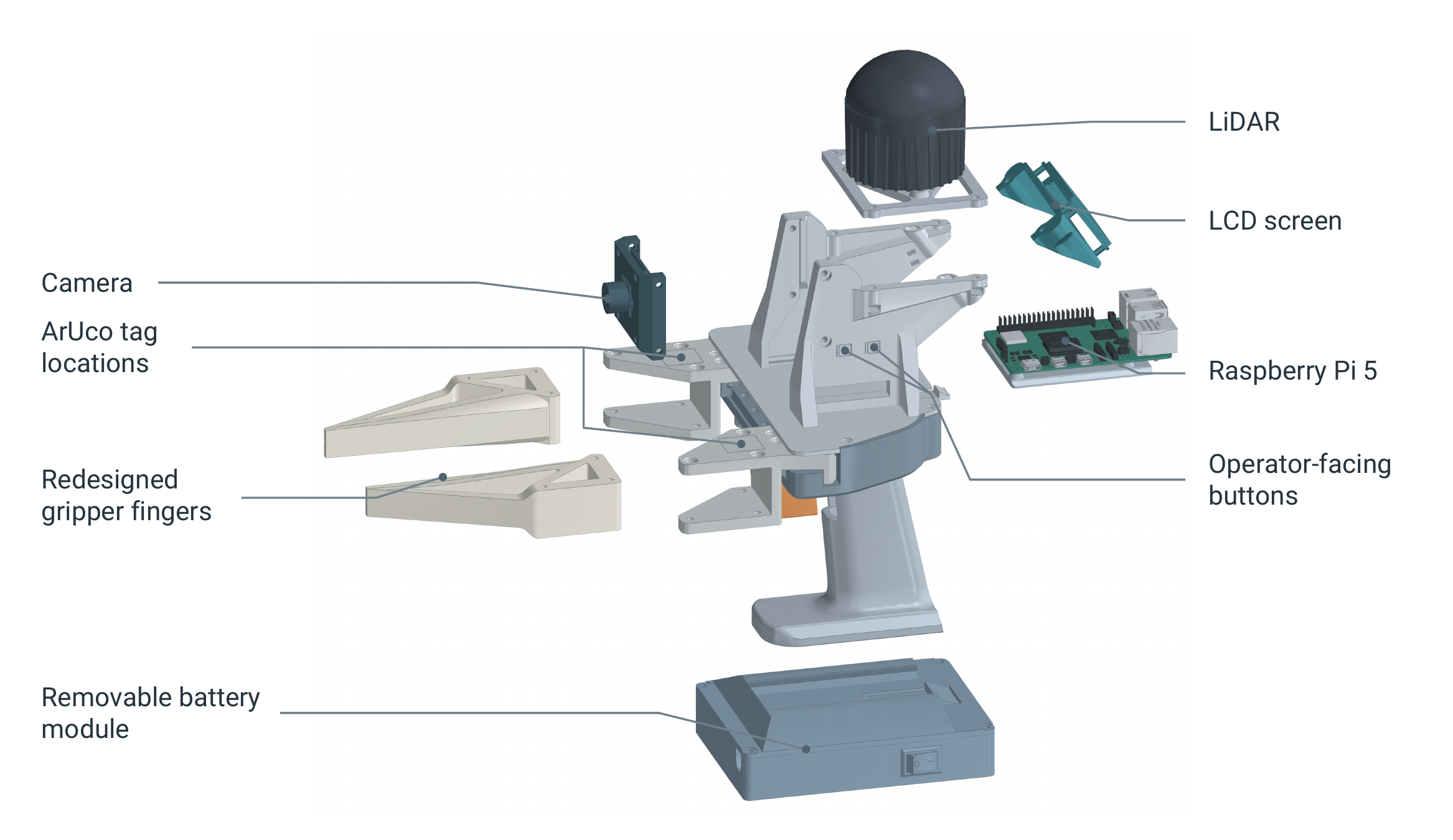
1. Source the parts
The guide covers one handheld unit; build two for bimanual use. Order parts from the Off the Shelf tab below.
Check pack sizes and purchase notes before ordering. Fractional quantities show approximately how much of a pack the build uses.
Parts & sourcing Open parts spreadsheet ↗
2. Print the UMI-Live components
- Download the STL files and keep their supplied print orientation. Use the STEP assembly to inspect or modify parts.
- Use the defaults in the 3D Printed tab, which are based on the Bambu Studio P1S/P2S 0.20 mm Standard settings. Follow each part's material, support, brim, and slicer settings. Some parts require bridging.
- Print the listed quantities and remove all supports. Use the illustrated parts list in the assembly guide to identify each part.
Print settings & quantities Open print settings ↗
3. Assemble, wire, and inspect
Follow the assembly guide in order.
You will need M2/M3 drivers, scissors, flush cutters, a multimeter, and a wire stripper. Keep the carriages on the rail and ensure the battery is disconnected before assembly or wiring changes.
Assembly guide Open assembly guide ↗
Print and fit the ArUco tags
Print the tag PDF at 100% / actual size, with Fit and Shrink disabled. Check the 50 mm scale before cutting and keep the white margins. Follow the assembly guide for placement and IDs.
Printable ArUco tags Open tag PDF ↗
Charging
- Switch OFF or disconnect the USB-C (powering the Raspberry Pi) and power jack (powering the LiDAR).
- Plug the supplied charger into the battery's charging barrel socket.
- Unplug the charger before switching back ON.
Do not charge and use the battery at the same time.
4. Configure, calibrate, and test
After assembly and inspection, follow the software guide to install the software, calibrate the camera and gripper, and test recording.
Optional: I2RT YAM hardware
For each YAM gripper, print one camera mount, one left and one right finger holder, two finger backbones, and two pads.
The YAM folder contains the mount and holders. Use the shared UMI-Live files for the backbones and pads. Follow the I2RT YAM Parts settings below; the YAM quantities and filament totals are separate from the handheld build.